What Is Phantom?
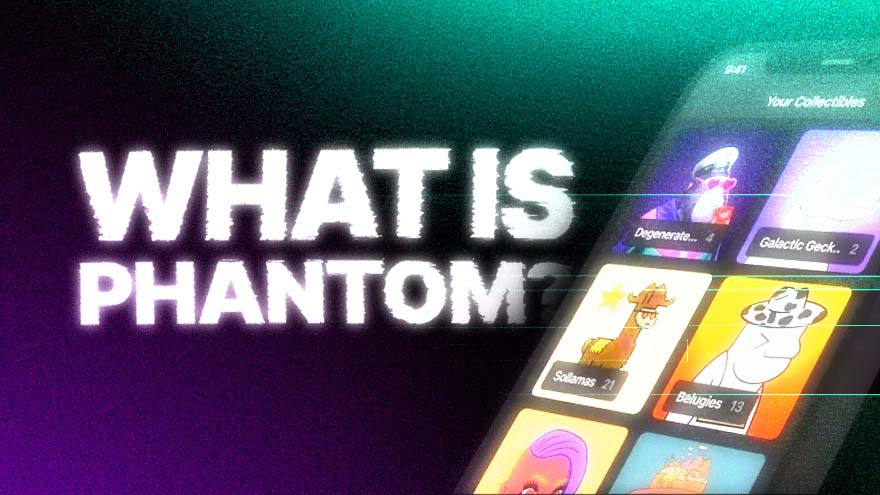
Phantom is a crypto wallet app for receiving, sending and using digital assets. The assets stay on a blockchain, the shared record of balances and transactions; Phantom manages the secret keys that let you control them. Unlike an exchange account, its self-custodial wallet puts responsibility for access and recovery with you.
Before adding funds, protect your recovery method. A recovery phrase is a secret set of words that can restore your wallet; anyone who gets it can take control. Phantom cannot reverse a completed blockchain transfer or recover stolen funds. Never give a recovery phrase or private key to a website or someone claiming to be support. As of Nov. 1, 2026, Phantom lists support for Solana, Ethereum, Robinhood Chain, Arc, HyperEVM, Bitcoin (Native Segwit and Taproot), Base, Polygon and BNB Chain. Support for a network does not mean every app or feature works on it: Phantom does not support connecting to Bitcoin apps.
- Hot wallets keep signing keys on an internet-connected device. Writing the recovery phrase on paper creates an offline backup, not a cold wallet, if those keys are still used in the online app. Cold storage keeps signing keys offline; Phantom can connect to supported hardware wallets that hold keys separately.
- Software wallets run on a phone or computer. Phantom is available on iOS and Android through the App Store and Google Play. On desktop, Phantom fully supports Chrome. Brave, Opera and Microsoft Edge are compatible Chromium browsers, but Phantom does not guarantee the same stability. Firefox no longer receives updates and is unsupported. Only download Phantom through its official download page or the linked app stores; fake apps can steal funds.
- Non-custodial wallets put you in control of the private keys rather than leaving them with an exchange. With a phrase-based wallet, the Secret Recovery Phrase generates the private keys for its accounts. Store it securely offline; a browser password or phone unlock cannot replace it. Wallets created with Google or Apple use that account to sign in again, plus the PIN if one was required during setup. They also have an exportable recovery phrase for an additional backup.
A private key creates a digital signature authorizing an action; the corresponding public key lets others check that signature without learning the private key. Phantom signs with your keys when you approve a request. Connecting lets an app see your public address and request signatures or transactions; it does not disclose your private key.
Phantom Wallet as Solana’s Web3 Gateway
Phantom connects to blockchain apps, often called decentralized apps or dApps. These include exchanges, lending services and marketplaces in the Solana ecosystem.
To connect in the browser extension, open the app, choose Connect, select Phantom and review the connection request. On mobile, use Phantom’s in-app browser.
The extension password unlocks Phantom on that device. It is not a private key or a recovery backup.
Connecting is separate from approving a transaction. Review the recipient, assets, amounts and permissions before signing; a malicious approval can put funds at risk.
Disconnecting an app does not revoke token approvals already granted; those permissions must be revoked separately. Ignore unsolicited support messages and unexpected token or NFT links promising rewards.
Smart contracts are programs that execute rules on a blockchain, not a guarantee of safety or instant access. Lending protocols can suffer software exploits, incorrect price feeds or withdrawal shortages when funds are lent out.
Connecting and viewing an address do not themselves require a funded wallet. Sending assets or using many apps requires funds and network fees; on Solana, the fee token is SOL.
How to Fund a Phantom Wallet?
You can receive supported crypto from another wallet or an exchange. Choose the asset and network first, then use the receiving address for that network in Phantom.
In the current browser extension, choose Receive and select the network. On mobile, choose Deposit, then Receive Crypto, and select the network.
Copy the address or display its QR code, then use it in the sending wallet or exchange. Select the same network at both ends and verify the full address before confirming.
The network-matching rule also applies to stablecoins. Do not choose a withdrawal network simply because its token ticker matches the asset you want to receive.
For a Solana deposit, the sender must use Solana, including for supported stablecoins. An Ethereum transfer is not a Solana transfer, even if the token has the same name. Some networks share an address format, so a matching-looking address alone is not enough.
Phantom also offers purchases through integrated payment providers. On mobile, users can fund Cash and use that balance to buy supported tokens; available methods and fees should be checked in the app.
Payment services can require identity checks and impose regional limits or minimums. Review the provider, total fees and delivery asset before paying.
Self-custody describes the wallet, not every service reached through it. For example, eligible U.S. users can access Kalshi prediction markets in Phantom, but trading requires a Kalshi account and identity verification. Funds move to Kalshi to buy contracts, and Kalshi operates and settles the markets.
The Defiant’s report on Phantom’s U.S. Kalshi rollout explains the account and fund-flow distinction.
Phantom Staking
Native staking delegates SOL to a validator that helps process transactions and secure Solana. The SOL stays in a stake account under your control and earns rewards in SOL.
As of Nov. 1, 2026, Phantom says new native stakes can be created only in its browser extension, with at least 1 SOL. Open Solana, choose More, then Stake SOL and Native Staking.
Choose a validator after checking its commission, uptime and voting performance. Commission is a share of staking rewards; it is not a universal 10% charge.
Natively staked SOL cannot be spent until it is unstaked and withdrawn. Phantom says unstaking typically takes two to three days; once the stake is inactive, a separate withdrawal returns it to the wallet. Phantom also offers liquid staking: users receive a separate token representing the staked position that can be traded or used in apps. This differs from native staking, where SOL is unavailable for spending until unstaked.
A staking calculator offers estimates, not guaranteed returns. Check the selected validator’s current commission and performance. Native staking rewards are paid in SOL, so earning more SOL does not guarantee a gain in its dollar value.
Series Disclaimer:
This series article is intended for general guidance and information purposes only for beginners participating in cryptocurrencies and DeFi. The contents of this article are not to be construed as legal, business, investment, or tax advice. You should consult with your advisors for all legal, business, investment, and tax implications and advice. The Defiant is not responsible for any lost funds. Please use your best judgment and practice due diligence before interacting with smart contracts.
Correction (2026-11-01): Corrected errors: a paper backup does not make an online wallet cold; private keys sign transactions rather than verify them; LTV means loan-to-value. Updated network support and recovery guidance.
 sources
Related Posts


Advertisement
Free newsletters
Good reporting. Delivered.
Choose the newsletters you want in your inbox.
Free. Unsubscribe anytime.


